

Table of Contents
TetherX AI
TetherX AI is on-device video and audio analytics built into the TetherBox. It identifies what is in the frame and what can be heard on site in real time, classifies it into useful categories, and makes the resulting metadata searchable across all of your footage.
Hardware Requirement
TetherX AI runs directly on the TetherBox, so it needs an AI capable unit - either a smaller TetherBox fitted with an AI accelerator module, or a larger TetherBox with a dedicated graphics card.
If you are not sure whether your TetherBox supports it, get in touch via TetherX Support and we will check for you.
Video AI
Traditional motion detection tells you something moved. Video AI tells you what moved, where it went, and how confident the detection is.
It identifies people, vehicles, and animals in real time, tracks their movement across the scene, and classifies what it finds.
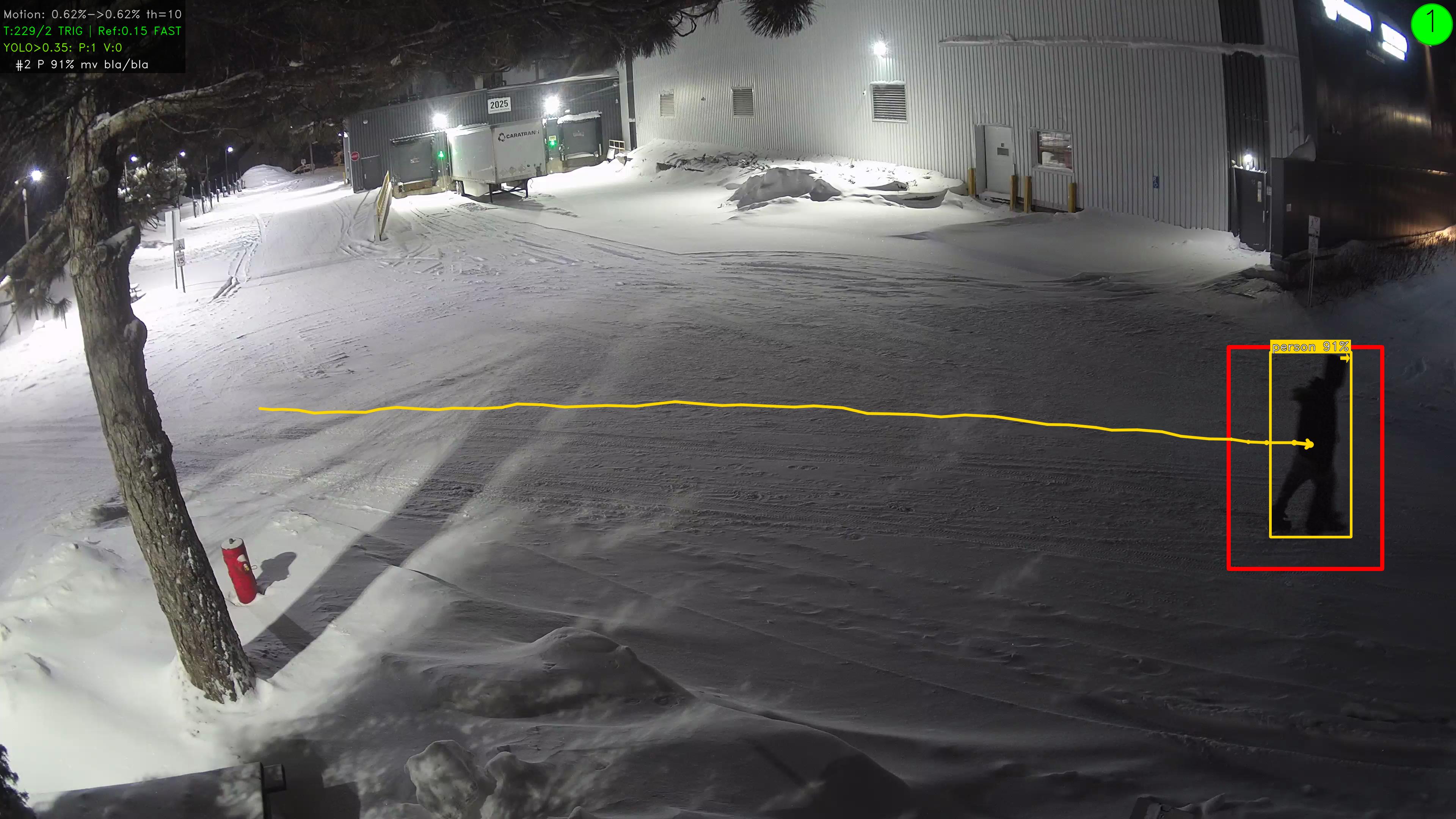
The yellow line is the actual trajectory across the scene - you can see exactly where the subject came from and where they went. Detections work at distance and in poor conditions; the screenshot above is a live site in Canada at night, well below zero, with snow on the ground.
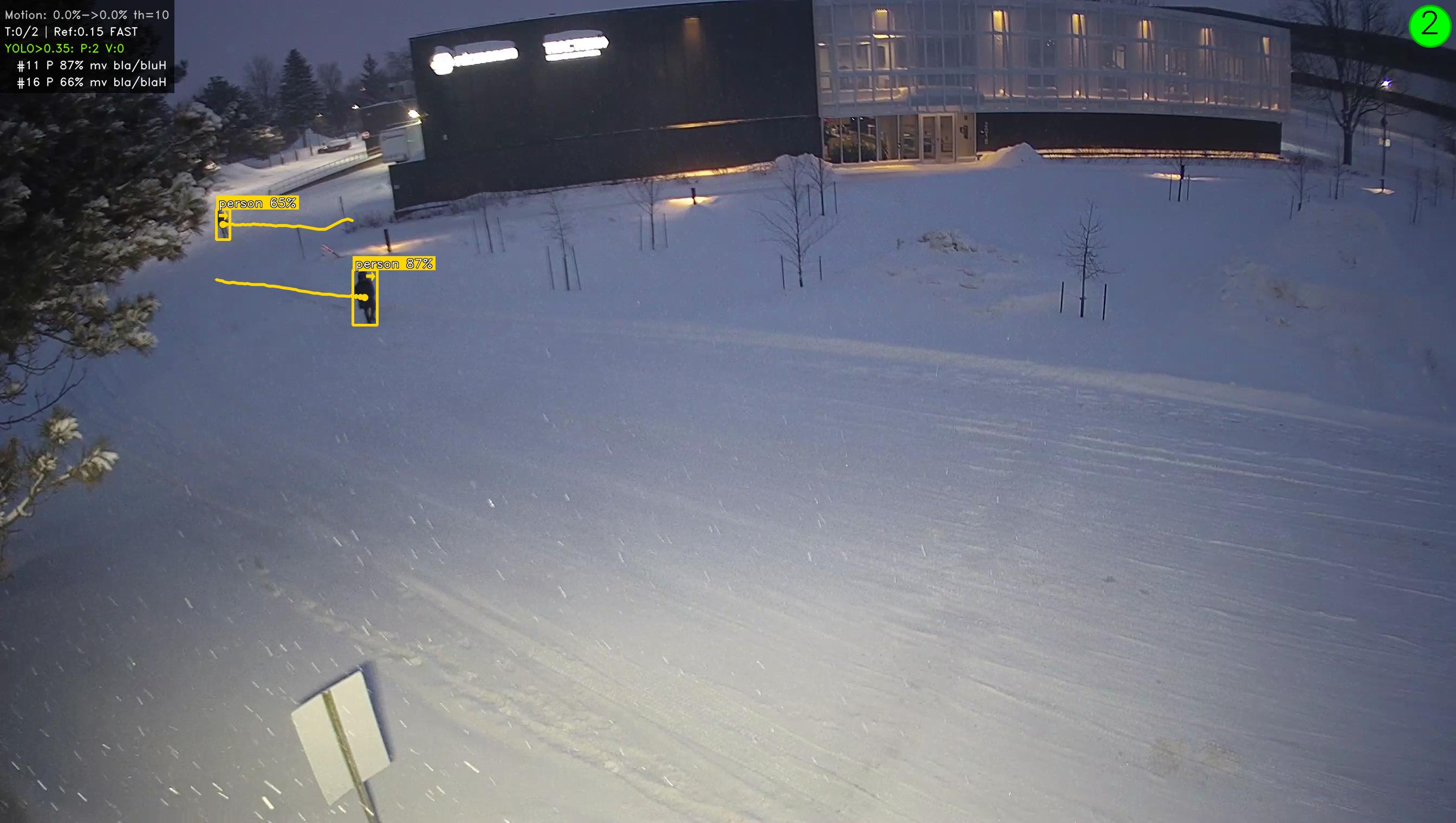
Two people detected at distance, tiny figures in a wide snow-covered scene, both at high confidence. Most camera-side analytics would not register them at all.
Searchable Metadata
Every detection becomes a searchable attribute. Instead of scrubbing through hours of footage, filter by what matters:
| Filter | Examples |
|---|---|
| Detection type | Person, vehicle, animal |
| Clothing colour | Top and bottom, separately |
| Vehicle colour | Find a specific car |
| Movement | Moving or stationary (filter out parked vehicles, loitering) |
| Direction | Which way were they heading |
Tip: Queries like "show me everyone wearing a red jacket between 6pm and midnight" return in seconds.
Audio AI
Video analytics have a blind spot - they only work where the camera can see. Glass breaking behind a wall, a smoke alarm in an adjacent room, someone screaming off-screen - none of these trigger video analytics.
Audio AI classifies 63 distinct sounds across 7 categories, running continuously alongside video detection as a second sensory layer.
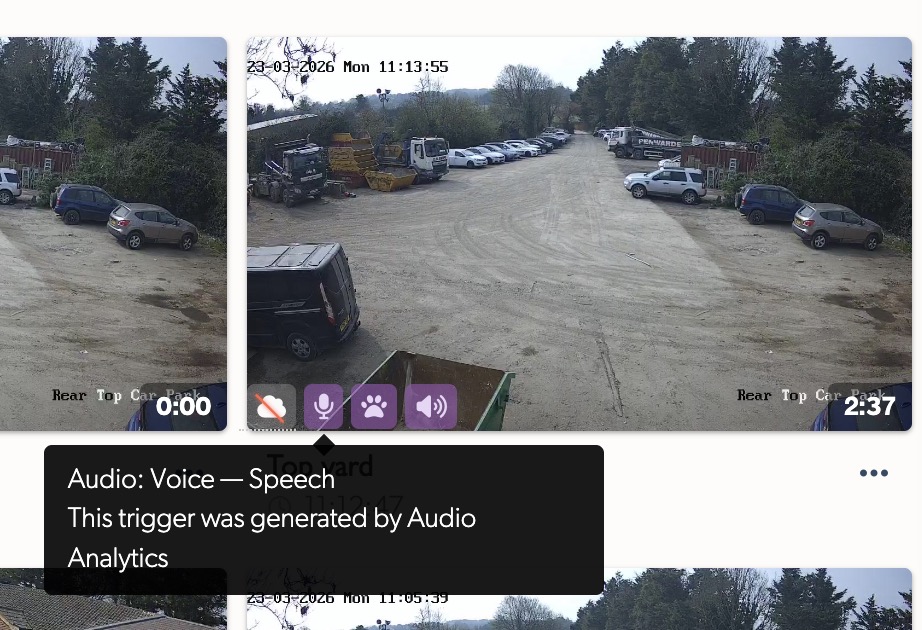
Audio events appear with purple icons on event thumbnails so they are instantly distinguishable from video detections when an operator is scanning dozens of events.
What It Detects
| Category | Example sounds |
|---|---|
| Emergency | Screams, cries for help, shouting |
| Alarms | Smoke detectors, fire alarms, security sirens |
| Intrusion | Glass breaking, door forced, wood splintering |
| Vehicles | Engine start, horn, tyre screech, reversing beeper |
| Voice | Speech, arguing, crowd noise |
| Animals | Dog barking, bird of prey |
| Weather | Thunder, heavy rain, high wind |
Loud sounds above 99 dB SPL are flagged automatically regardless of classification.
Combining Video and Audio
The combination is what makes the difference. A person on camera at 03:00 is interesting. A person on camera at 03:00 with glass breaking on audio is an incident. The two sensors create context that neither provides alone.
Camera Notification Settings lets you route alerts by category - for example, send glass break audio events straight to the monitoring station while routing dog barking to the site manager.
How Your Data Is Handled
Both video AI and audio AI run on the TetherBox itself - the inference workload stays on the device alongside normal recording. The only thing that leaves the site is classification metadata (for example, "glass break at 03:14" or "person, top: red, bottom: blue") so events and search remain fast and lightweight.
Your recordings continue to be handled exactly as before:
- If Cloud Backup is enabled, recordings are encrypted in transit and stored securely in the cloud, available to anyone with permission to view them
- If you have not enabled Cloud Backup, recordings remain on the TetherBox and are streamed on demand over an authenticated, encrypted channel
In both cases, the AI inference itself happens on-device, so there is no separate AI cloud workload and no additional bandwidth used for analytics.
Availability
TetherX AI is available now, provided your TetherBox is AI capable - either a smaller unit with an AI accelerator module, or a larger unit with a dedicated graphics card.
If you are not sure whether your hardware supports it, contact TetherX Support and we will confirm and help you turn it on.
Related Articles
- Notifications - configuring which events trigger push and email alerts
- Camera Notification Settings - per-camera filtering of which event types are surfaced
- Events - the searchable event timeline TetherX AI feeds into
- Hardware Specifications - which units have AI accelerators
- AI Insights - separate AI feature that analyses TetherBox drive health
Referenced in: