

Table of Contents
Quote Tool
Use the Quote Tool to build a cloud backup package for a customer. It shows the customer price alongside the storage and upload requirements, so you can confirm the proposed service will work at the site.
Tip: Sign in, then open Partners Quote Tool from the help sidebar. The tool uses your partner pricing and markup.
Build the Package
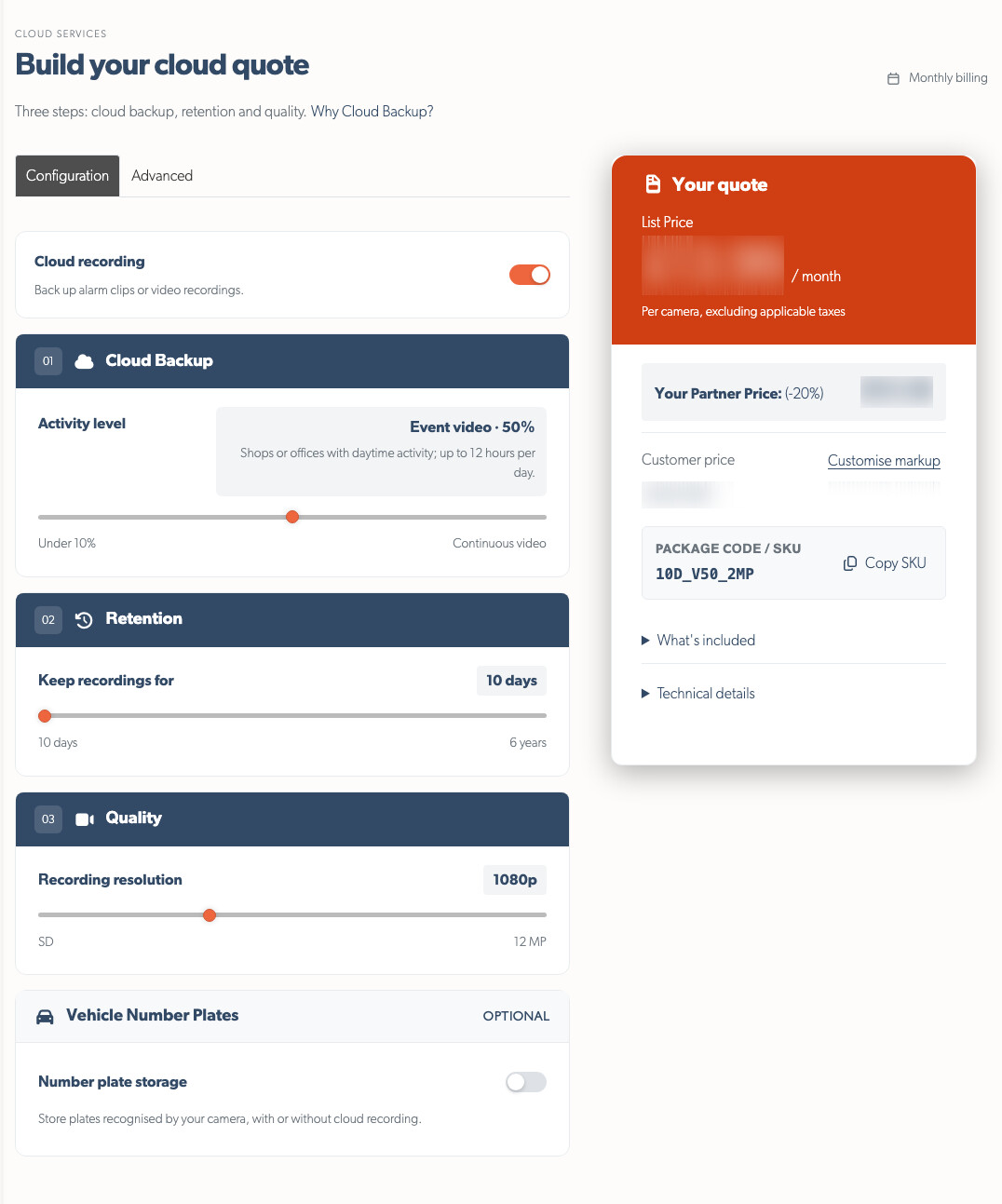
In the Configuration tab, choose the same service settings that you will later apply in Cloud Backup Setup:
- Cloud Backup - choose how much each camera records, from alarm clips only to continuous video. Turn Cloud recording off to quote number plate storage on its own.
- Retention - choose how long recordings are kept.
- Quality - choose the recording resolution.
Add Vehicle Number Plates when required. It is priced separately and has its own retention setting.
Use the Advanced tab only when the site needs time-lapse. Set whether images are saved, when capture starts and how often they are taken.
Check the Quote
The quote card updates as you change the package. Check these values before you send a proposal:
- Customer price - the monthly price per camera, excluding VAT.
- Partner price and list price - shown to integrators so you can see the pricing behind the quote.
- Markup - use Customise markup to set the customer price for the selected timeline.
- Package code - copy the SKU into the customer proposal.
- Technical details - check the required cloud storage, monthly upload and average upload speed.
Compare the upload requirement with the site's connection before proposing continuous recording or a long retention period.
Prepare the Customer Proposal
- Build the package around the cameras, retention and recording coverage the customer needs.
- Check the customer price and the site's upload requirement.
- Copy the package code and include the recurring service in the proposal.
- Add the one-off and ongoing work that you will provide:
- TetherBox hardware costs.
- Installation and configuration.
- Ongoing support and maintenance.
Tip: Start with the recording coverage and retention the customer needs now. They can change the package later as the site or its requirements change.
Related Articles
- Cloud Backup Setup - Configuration options and how to enable
- Service Subscription Billing - Understanding the billing cycle
- Getting Started for Integrators - Partner onboarding guide
- Partner Programme - Benefits and pricing information
Referenced in: